- Your cart is empty
- Continue Shopping

Why Is My AED Beeping? 5 Steps to Diagnose and Fix the Problem
Meta Description: Is your AED beeping or chirping? Learn the 5 most common causes—from expired pads to low batteries—and how to fix them to keep your defibrillator rescue-ready.
Did your AED suddenly go from sitting quietly in its case to making a loud chirping or beeping sound? Don’t panic—this audible alarm is actually your defibrillator doing exactly what it’s designed to do: alerting you that something needs attention.
An AED beeping is typically a maintenance alert, not an emergency. However, it’s crucial to address these warnings promptly to ensure your device remains rescue-ready when every second counts. Below are the five most common reasons your AED is making noise and what you should do about each one.
1. Check If Your AED Pads Have Expired
The most common reason for an AED beeping is expired electrode pads. AED pads contain a conductive gel that allows the electrical shock to transfer effectively from the device to the patient’s chest. Over time, this gel dries out, which can prevent the pads from delivering a shock properly during a cardiac emergency.
Most AEDs perform automatic self-tests that detect when pads are nearing or past their expiration date. When the device senses the pads may not function correctly, it triggers a warning beep. You can find the expiration date printed directly on the pad packaging. For more information, visit our guide on why AED pads expire.
What to do: Check the expiration date on your current pads. If they’re expired or will expire within the next 30 days, order replacement AED pads immediately. Keep in mind that different AED models require specific pad types, so be sure to match the pads to your device.
2. Inspect Your AED Battery Status
All AED batteries have a limited lifespan and will eventually need replacement—even if the device has never been used for a rescue. AED batteries power both the device’s daily self-diagnostic tests and the actual life-saving shocks. When battery power drops below a critical threshold, your AED will begin beeping to warn you.
Battery life varies by manufacturer and model. For example, the ZOLL AED Plus battery typically lasts 5 years in standby mode, while other models may have shorter lifespans. Always record the installation date of your battery and note when replacement will be due.
What to do: Check your AED’s battery status indicator (most units have a visible light or display). If the battery is low, replace it with an AED battery replacement specific to your model. For ZOLL users, our ZOLL AED Plus battery check guide provides detailed instructions.
3. Verify That Your AED Pads Are Properly Connected
Your AED should always be stored with the electrode pads pre-connected to the device. This saves critical time during an emergency by allowing the rescuer to immediately open the pads and apply them to the victim’s chest without fumbling with connections.
If the pad cable becomes disconnected—even partially—many AEDs will interpret this as a malfunction and trigger a warning beep. This is the device’s way of telling you it’s not ready for immediate use.
What to do: Open your AED case and check that the pad connector is firmly seated in the device’s port. Push the connector in until you hear or feel it click into place. If the pads appear damaged or the connector is worn, consider ordering new pads. For guidance on proper pad positioning during a rescue, see our comprehensive guide on where to place AED electrode pads.
4. Review the AED’s Storage Environment and Temperature
Every AED has a recommended storage temperature range specified in its user manual. While AEDs are engineered to perform during rescues in various conditions, prolonged exposure to extreme heat or cold can damage the battery, pads, and internal electronics.
Many modern AEDs include temperature sensors that trigger a warning beep when the device has been stored outside its safe operating range for too long. This is especially common in vehicles, outdoor locations, or facilities without climate control.
What to do: Consult your AED’s user manual for the recommended storage temperature (typically between 32°F–122°F or 0°C–50°C). If your AED is stored outdoors, consider an outdoor AED cabinet with temperature regulation. For indoor placement, our guide on mounting an AED and AED wall cabinets can help you select the right storage solution.
5. Contact the Manufacturer for Internal Diagnostics
If you’ve confirmed that your pads are not expired, your battery has sufficient charge, the pads are properly connected, and the storage environment is appropriate, the beeping may indicate an internal hardware issue.
AEDs contain sophisticated circuitry that monitors heart rhythms and delivers precisely calibrated shocks. If a component fails its self-test, the device will alert you with a persistent chirping noise. Internal issues are not something you can fix yourself—they require professional diagnosis.
What to do: Contact your AED’s manufacturer directly. They can walk you through additional troubleshooting steps and determine if the unit needs repair or replacement. If your device is under warranty, repairs may be covered.
AED Beeping by Brand: Quick Reference
Different AED manufacturers use various alert patterns. Here’s what to check based on your device:
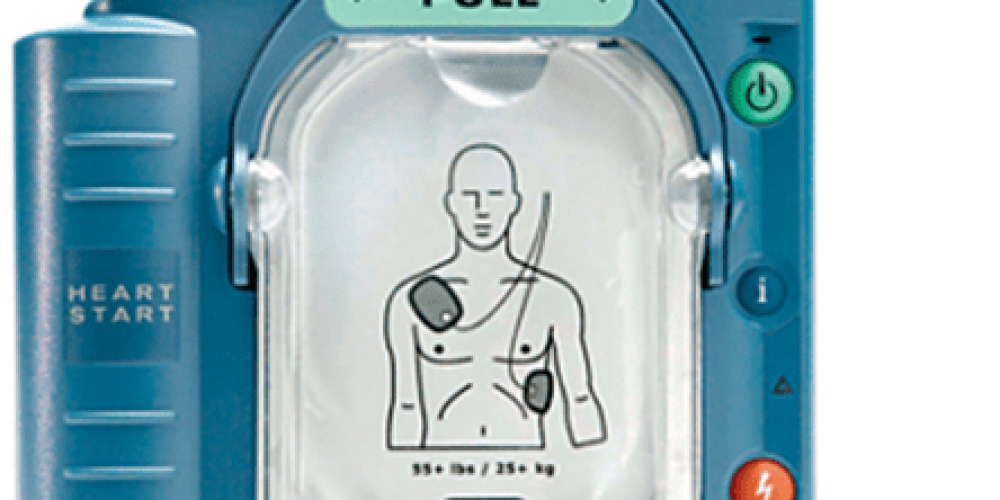
Philips HeartStart: Check the green flashing ready light. If it’s not flashing, inspect the battery and pads. Philips units often beep when the M5070A battery needs replacement.
ZOLL AED Plus: This model performs daily, weekly, and monthly self-tests. Beeping typically indicates a battery or pad issue. Learn more from the official ZOLL AED Plus manual.
Cardiac Science Powerheart: These units feature daily self-tests. Persistent beeping may require a Cardiac Science AED battery or pad replacement. Visit our Cardiac Science AED page for compatible accessories.
Defibtech Lifeline: Service codes displayed on the screen (like 7010) indicate specific issues. A Defibtech battery replacement often resolves common alerts.
LIFEPAK: These professional-grade devices display clear status messages. Check the LIFEPAK 1000 battery or LIFEPAK CR Plus battery if your unit is beeping.
Prevent Future AED Beeping with Regular Maintenance
The best way to avoid unexpected AED alerts is through proactive maintenance. Establishing a regular inspection routine ensures your device is always rescue-ready. Use AED inspection tags to document your checks and track expiration dates.
For a complete guide to AED care, including regulatory requirements that may apply to your organization, visit our AED maintenance resources and review the AED requirements by state.
Important Considerations When Using an AED
While troubleshooting your beeping AED, it’s also a good time to review proper AED use. Understanding special considerations when using an AED—such as what to do if the victim has a pacemaker, is wet, or is a child—can save precious seconds during an actual emergency.
Related resources that may help:
Share
AED Brands
Implementation Guide